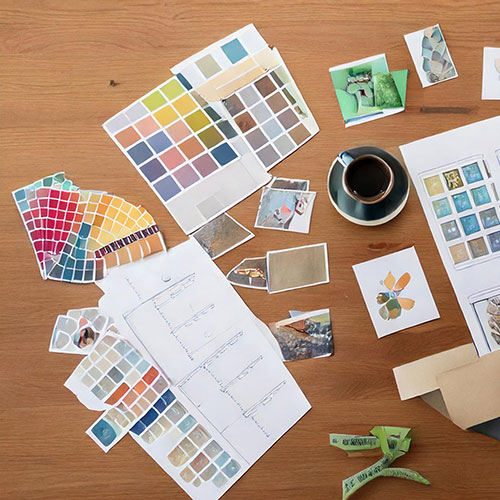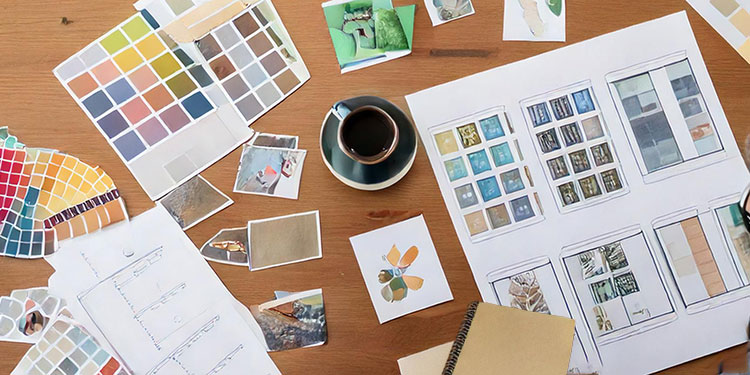
8 Free AI Mood Board Tools

8 Free AI Mood Board Tools

HDG example of Mood Board created with AI

AI Mood Board Tools: Finding the Right Fit

When choosing between free and paid AI mood board tools, consider several key decision factors. If you plan to generate a high volume of images or videos, you’ll likely need the extra credits that come with paid plans.
For teams working on consistent branding, shared asset libraries, and user permissions, premium options are usually the better choice. Paid tiers also tend to provide higher resolution outputs, more style variations, and greater flexibility in editing.
Finally, keep in mind the trade-off between learning curve and speed—free tools are simpler but limited in depth, while paid plans offer more advanced features at the cost of added complexity and resources.

Pinterest AI

AI-driven recommendations and visual search to quickly build mood boards from similar styles and aesthetics. Best for people who want a fast, abundant source of inspiration; pulling together styles, photos, and product ideas. Very useful in early-stage mood boards when you’re exploring visuals. Business and advertising premium features are geared toward brands, but they are not as flexible or fine-tuned in layout or image editing as full design tools and may require a cost. Furthermore, some features may lag behind paid tools in allowing precise control of each visual element.
Free to use, and many AI features are available to general users. There is no specific “AI mood-boarding” paid tier just for these tools.

Adobe Firefly

Text-to-image AI integrated with Adobe Express helps create original visuals for mood boards with consistent styles. Best when you want more control over image/video generation or are already inside Adobe’s ecosystem. The free tier works for occasional use; paid tiers are useful if you need many generations, motion/video, or high volume. The service is also bundled with Adobe Creative Cloud apps.
The free version includes a limited number of generative credits per month and basic access to AI image/video generation.

Canva AI

It uses AI-powered search and design suggestions; it lets you auto-generate mood boards from keywords, styles, or uploaded images. Great for general designers, marketers, and small teams. Free is fine for exploring or lightweight boards; paid gives more assets, better collaboration, and branding consistency. Trade-off: cost vs. breadth of assets & features.
The free version includes basic templates, images, and design tools; limited premium content; and assets.
Milanote
The AI-assisted idea organizer automatically groups inspirations and suggests related visuals for mood boards. Milanote is an excellent choice for creatives and designers seeking greater flexibility and space to gather and arrange mood inspirations without any limitations. If your mood board has lots of images and files, or you’re collaborating, a paid plan becomes more useful, and if you’re using it for personal use, free might be your best option.
The free forever plan includes up to 100 notes/images/links, 10 file uploads, and unlimited shared boards.

Adobe Express

Good for marketers or non-designers who want quick, on-brand outputs (social, promos). Leaner than the full Firefly or the Creative Cloud apps, so a lighter toolset but an easier learning curve.
The free plan includes basic templates, limited assets, smaller storage, and fewer generative credits.

Figma

Use AI plugins to generate design elements and auto-arrange inspiration boards visually. For collaboration on visual design control that is shareable. If you frequently tweak visuals, want prototyping, or embed interactive components, it works very well for personal usage.
The free plan works for personal and very light usage. This “Starter” plan includes core design tools, unlimited personal drafts, and limited collaborative files/projects.

Krea

Generates custom imagery based on text prompts; great for filling mood boards with unique concept visuals. Creators who want high visual polish, are exploring both static and video content, or want to define a strong aesthetic. The free version is decent for rough drafts/inspiration but limited in resolution, watermarks, etc.; the paid version is needed for commercial rights & higher output; advanced tools/features may have a learning curve; and video generation may require more resources.
Free plan has limited number of AI trainings; watermark and limited resolution or features in free mode.

Notion AI

Organizes and structures inspiration materials; AI can summarize, label, and suggest categories for mood board content. Best if you want a unified workspace with notes and inspiration on mood boards that combine tasks in one place. Not ideal if your mood board is heavy on image files unless you upgrade.Great for individuals and small teams who use mood boards as part of broader planning or creative docs.
Free plan is suitable for individuals; unlimited pages/blocks; limited storage/guest collaborators; basic version history; limited AI-trial access (for some users).


The right AI tool for mood boards depends on your goals: free plans are ideal for quick inspiration and light personal use, while paid options unlock the power, polish, and collaboration features needed for professional projects.
By weighing your content needs, team dynamics, and creative ambitions, you can choose the balance of cost and capability that best fuels your design process.


Artificial Intelligence will change how we create and learn.

Companies realize that if they are going to be the leader AI solutions, they have to offer a wider...

AI graphic design will boost efficiency.

Image from "Modern Graphic Design with AI" and used with permission. To learn how to use AI go to:...

AI tools can enhance development in music.

Image was created with Adobe Firefly AI generators. To learn how to use AI go to:...

Artificial intelligence Design Software

Many software companies have Artificial intelligence built in. Here is an instance of using...
Artificial Intelligence will change how we create and learn.

Artificial Intelligence will change how we create and learn.

Companies realize that if they are going to be the leader AI solutions, they have to offer a wider range of AI services which is causing a rush by companies to invest in Artificial Intelligence. As Paul Webb, Webb Business Consulting, said recently, “AI has been around for decades but now it is becoming affordable to everyone.”

The race began decades a go but now it is searching the interenet and compposing solutions instead of just reporting them.

As we collect more data, we will discover more about SGE, Search Generative Experience Optimization. It wil be a complete reversal of the process with the focus not on the most popular website but the one with the answers.

Search Results Will Be Completely Different

For Google Search results now, you type in a few keywords and get the most popular results with links to websites. We know that with the use of AI, Google results will be radically different. You will ask questions and get the best answers. Through Google Labs we have tested and found that many of the websites usually on page 1 are not in the results.

Major AI - Artificial Intelligence applications

An overview of the top 5 AI players

ChatGPT

A powerful OpenAI that searched the internet for solutions. Just a few weeks ago, a user needed to know how to use prompt interacting tools but now a user can ask a question or show an image to get responses. The next email will provide links so you can try it out.

Bing Chat

It is live now. If you are in Bing search and click on Chat icon at the top left of next to “Search” you will be directed to download and install the free Microsoft Edge browser. You can get replies based on a conversation style and drill down for more exact answers.

Google SGE

The Search Generative Experience will be live soon. To see examples of how it will operate, you can click on the ‘beaker’ icon on the top right of Google Chrome by your Google sign in. Google has not announced a release date but the experts are estimating by the end of this year.

Apple

They have stayed away from the term “AI” and use “machine learning” instead. Command and conversation based you can say “Siri change the temperature to 72°”, or ask a question and search results will be on your screen. Select one of the responses and it will highlight the answer on the website. Available with OS17.

Amazon

Alexa is also a conversational oriented AI. This digital voice assistant bypasses menus, touchscreens, mouse clicks, and keyboards and can understand the nuances of human conversation unlike a computer.

Good reference articles:

The New Microsoft Features
By Neal Hettinger

Is SEO Dead in 2023?
By Matthew Woodward

AI graphic design will boost efficiency.

AI graphic design will boost efficiency.

Image from "Modern Graphic Design with AI" and used with permission.

Image from “Modern Graphic Design with AI” and used with permission. To learn how to use AI go to: https://bestdesigner.website/

Artificial intelligence has the potential to significantly boost efficiency in graphic design by automating repetitive tasks, enhancing creativity, and providing smarter tools for design workflows. It can generate customizable templates for layouts, social media posts, and presentations, saving hours of manual work.

Tools like Adobe Photoshop’s AI-powered features enable batch resizing, color correction, and retouching. AI can auto-organize assets, tag them with metadata, and retrieve files quickly through advanced search functionalities.

Generative design using AI tools like DALL·E and MidJourney can create visual concepts based on text prompts, helping designers brainstorm ideas or explore new styles. Platforms use AI to analyze keywords and curate inspiration boards tailored to project themes. AI offers design recommendations for fonts, colors, and layouts based on the context of the project.

AI helps create designs that automatically adapt to user preferences, like dynamic websites or marketing materials tailored to specific audiences. It simplifies translating and redesigning content for multiple languages or regions while maintaining design integrity. Tools like Figma’s AI plugins generate wireframes or user interfaces based on project specifications. It can identify inconsistencies in designs, such as alignment issues or color mismatches, speeding up the revision process.

Tools embedded in AI collaborative platforms offer instant feedback on design choices or suggest improvements; these systems can track design iterations and suggest optimal versions to finalize. These systems will reduce the learning curve to assist new graphic designers in producing professional-grade work with less training.

AI can predict stakeholder preferences based on previous feedback, helping designers prepare near-final drafts on the first try. Balancing automation with human creativity is key to maintaining originality. Adopting AI tools requires some initial investment in time and training.

When integrated wisely, AI can enhance designers’ productivity and allow them to focus on more strategic, high-value tasks while maintaining their creative edge. AI outputs will need fine-tuning to meet high creative standards.

AI tools can enhance development in music.

AI tools can enhance development in music.

AI created image of crazy musician playing keyboards

Image was created with Adobe Firefly AI generators. To learn how to use AI go to: https://bestdesigner.website/

If you’re looking to use artificial intelligence tools to enhance your learning and skill development in music, there are several options tailored to various aspects of musicianship. AI can also provide guidance on tools or resources for improving skills, like mastering, instrument practice, or production.

Yousician employs artificial intelligence (AI) to monitor your gameplay and offer immediate feedback. Beginners and intermediate players use it. Simply Piano/Simply Guitar, which focuses on piano and guitar learners, provides guided tutorials and tracks progress through AI-assisted listening.

If you are interested in music theory and composition, ChordAI analyzes music in real time to identify chords and progressions.  It is useful for ear training and understanding harmonic structures. Hookpad is an online AI music theory tool that helps you compose chord progressions and melodies while learning theory as you create.

Learning AI tools integrates digital audio workstation skills. Logic Pro’s Quick Help or Ableton Live’s Learning Pack can guide you through creating tracks, automating processes, and more. Izotope’s Neutron or Gullfoss by Soundtheory use AI to analyze mixes and suggest enhancements. These tools can teach you how EQ and dynamics shape sound.

In another learning direction, LyricStudio is an AI-assisted lyric writing software that provides rhyme suggestions, thematic ideas, and creative inputs. You can use ChatGPT or OpenAI to brainstorm song themes, generate story ideas, or create lyrical drafts.

For beginners interested in sound design and music production, there is Output Arcade, which is a loop-based music production tool with AI-assisted content to inspire sound design ideas. Another option is Endlesss, a real-time collaborative music-making app that allows you to jam with AI suggestions and other musicians.

TrainYourEars is an AI-powered software that helps you identify frequencies, chord qualities, and dynamics through ear training exercises. Solfeg.io offers exercises in interval recognition, rhythm training, and more, using AI to adapt to your skill level.

For personalized feedback and coaching LANDR Mastering is an AI-driven mastering tool. You can analyze the mastering process to learn about EQ, compression, and loudness balance. Courses from music legends (like Hans Zimmer for scoring or Deadmau5 for electronic music) often integrate AI-based tools in workflows.

AI enables experimentation and exploration through Google Magenta Studio plugins, enabling the exploration of generative music concepts such as melody completion and rhythm improvisation. Learn composition by collaborating with AIVA, which generates orchestral and electronic arrangements you can tweak.

Artificial intelligence Design Software

Artificial intelligence Design Software

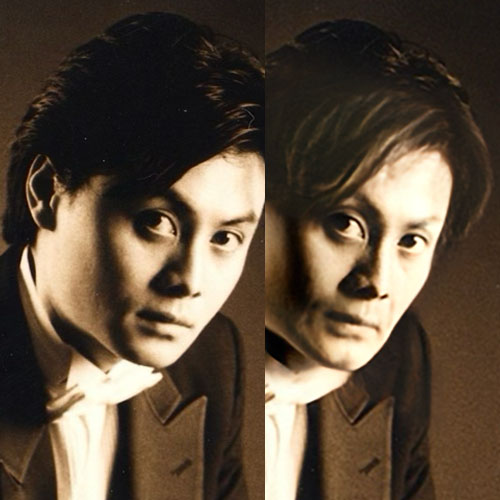
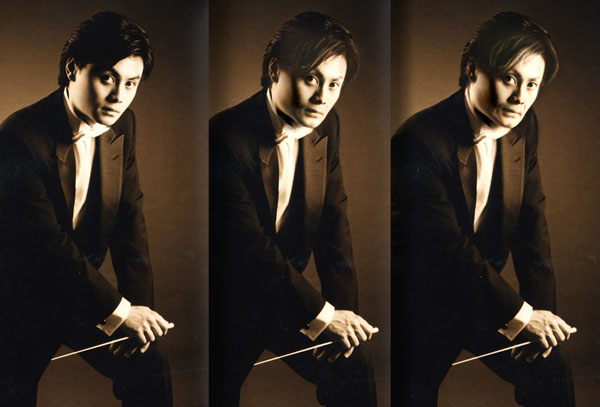
Vergilius Chamber Orchestra condutor AI example

Many software companies have Artificial intelligence built in.

Here is an instance of using Photoshop to age an image. The client had a photo of when he was younger but instead of a having a photo shoot, we used AI to age him. Notonly his face but his hands and hair were also genereated. We went with the middle option but added a much older version as an example.

Adobe software leads the way incorporating Artificial intelligence.

Adobe Photoshop

Content-Aware and Generative Fill in Photoshop effortlessly fills in blanks or eliminates undesired parts from an image.
Select Subject fills in the chosen object to blend into the rest of the picture or automatically chooses the main subject in an image to make removing the surrounding area easier.
Neural Filters allow designers to alter facial emotions. It can make a face younger or older. Photoshop can recognize a sky in a picture and replace it with another, blending the new sky in perfectly with the rest of the picture.

Adobe Illustrator

With integrated artificial intelligence features,  Illustrator can be used for vector graphics creation. These new capabilities allows designers to create logos and icons for any size application. While Photoshop creates generative fills and images in pixels which limit the size, Illustrator utilizes AI for image tracing, freeform gradients for more organic and natural-looking images.


Adobe Illustrator artificial intelligence-AI images

Adobe Firefly

This online tool focuses on image and effect generation. Create images, add styles and fill image areas with AI-generated content, create social media posts, posters, and flyers, generate vector graphics, and more — all with simple text prompts. This strong AI composition oriented image generation can be use for illustrations, photo realistic images, and images based on styles.

Adobe Express

Perfect for the creative and not so creative solutions, online Express has templates for social media posts and ads. For designers, its a strong tool for creating text effects based on prompts. Adding textures or creating images and patterns can really save time for designers.

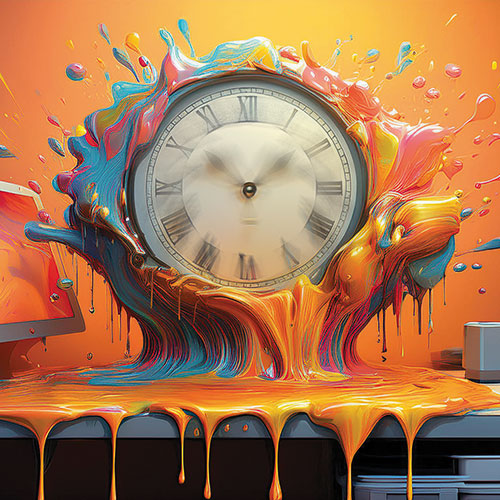
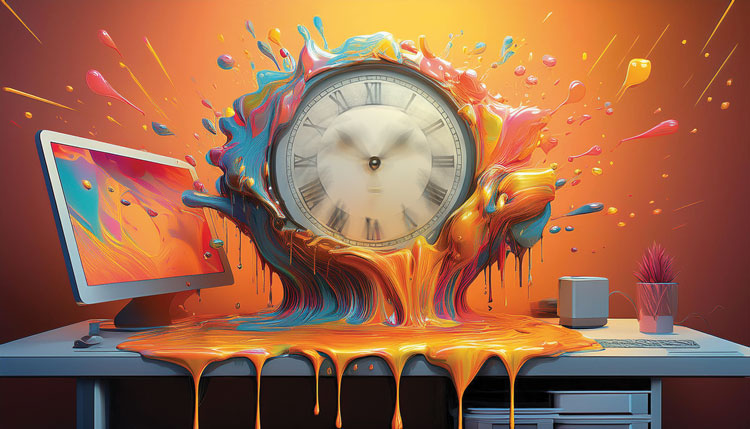
AI tools can create mood boards

AI tools can create mood boards

AI can assemble mood boards

Image was created with Adobe Firefly AI generators. To learn how to use AI go to: https://bestdesigner.website/

Artificial intelligence assembles mood boards by leveraging machine learning algorithms, natural language processing, and image recognition technologies to identify, curate, and arrange visual elements based on user input. Here’s a step-by-step breakdown:

Users provide a theme, style, or set of keywords such as art deco, minimalism, or flat art. AI analyzes these inputs to identify relevant aesthetic concepts using NLP and pre-trained style datasets.

Visual libraries such as Unsplash and Adobe Stock are scanned by AI tools for tagged content related to the input. Algorithms compare retrieved images against stylistic patterns defined by the input, ensuring relevance. Using tools like DALL·E or MidJourney, the system can create unique visuals tailored to the theme. The AI classifies content into categories such as textures, colors, typography, and illustrations.

Artificial intelligence eliminates irrelevant or redundant images by scoring how well they align with the user’s theme. Resolution analysis and style recognition remove low-quality visuals or those with mismatched aesthetics.

AI ensures a cohesive palette by selecting visuals with complementary or analogous color schemes. It arranges images with balanced compositions to create a visually appealing layout. It groups or juxtaposes similar elements, like textures and photos, to create contrast and emphasis.

Users can refine the board by adding, removing, or reshuffling elements. AI provides real-time suggestions based on user tweaks. AI may propose additional assets or themes based on gaps in the mood board.

Once finalized, AI tools allow exporting mood boards in various formats or sharing them directly with collaborators.

By automating the tedious aspects of sourcing, filtering, and arranging visuals, AI makes mood board creation faster and more efficient while empowering users with creative flexibility.

AI Tools for Mood Boards

Generative tools like Figma plugins or Adobe Express arrange content into grids, collages, or freeform layouts. The AI adjusts spacing, alignment, and scaling to achieve visual balance.

Tools with artificial intelligence mood board features include Milanote, which facilitates AI-powered mood board creation with image sourcing and smart layout suggestions; Canva, which uses AI for design inspiration and image recommendations tailored to user-defined styles; Pinterest, which creates mood boards based on themes and browsing habits; and Figma, which has a plug-in to organize the visual elements.